Version 1.0 - Last Updated: 15 Jul 2026
SIS LLE guidance
LLE CoC Import Results
After you've selected CoC, the Import Results Filter will appear.
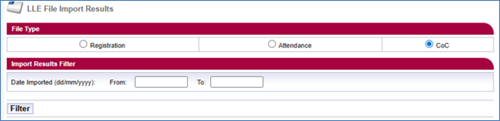
You'll see the following search options:
Date Imported (dd/mm/yyyy) From / To
The date range you want to check for file imports. You must use both of these fields.
Filter
After selecting the filter button, you'll see a list of all submitted CoC import files.
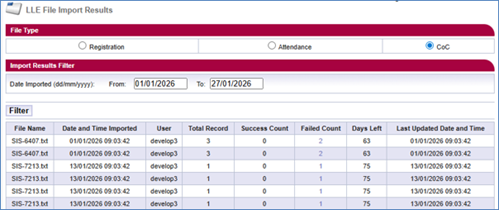
The following headers will display on the page:
- File Name
- Date and Time Imported
- User
- Total Record
- Success Count
- Failed Count
- Days Left
- Last Updated Date and Time