Version 1.0 - Last Updated: 08 Jul 2025
Creating LLE courses
Editing a Course or Module
You can edit a course or module that has already been created in CMS. The changes you can make depend on the current status of the course or module.
Draft status
If the course or module is in Draft, you can update any fields before submitting it for review.
In Review status
If the course or module is In Review, you will not be able to make any changes. If you need to make edits to a course or module that’s In Review, please contact us to request that we set it back to Draft.
Active status
If the course or module is Active, there are restrictions on what you can change.
You should only make changes where they are necessary. Updates to course information may require reassessment of affected students and could impact their funding entitlement.
You cannot change HEP identifiers once the course is active. For this reason, it’s important to capture identifiers correctly the first time.
On a core course, you can edit:
- Course Name
On a course variant, you can edit:
- HECoS Code
- Available Course Years
- Course Fee & Credits
- Study Periods
On a core module, you can edit:
- Module Name
On a module variant, you can edit:
- HECoS Code
- Available Module Years
- Course Fee & Credits
- Study periods
If you need to make any other changes, you’ll need to change the course from Active to Archive. You can then recreate the course with the correct details.
Changes after student applications
If students have already applied to, or been assessed against, a course or module, you must contact us before making any changes.
We may ask you to complete a course change form before you can make updates in CMS.
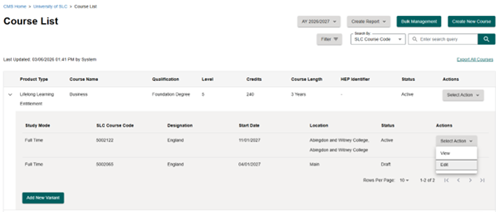
How to edit a variant
To edit a course or module variant:
- Open the relevant variant record
- Select Edit from the Select Action dropdown
- Make the required changes
- Select Save Changes
How to edit core details
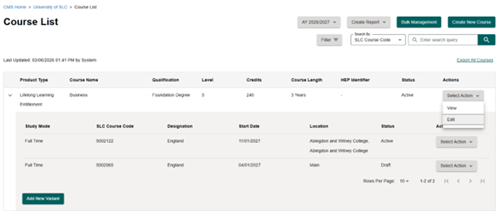
To edit core course or module details:
- Open the course or module record
- Select Edit from the Select Action dropdown
- Make the required changes
- Select Save Changes
You cannot edit all fields once a record has progressed beyond Draft.
If you need further support, contact ssin_queries@slc.co.uk.